Cornell Notes Template
The classic three-part note page (cues, notes, summary) with a one-page guide to using it so every page becomes a self-test.
About this resource
Cornell notes split the page into a wide notes column, a narrow cue column and a summary strip. The trick is in the timing: you take notes during the lesson, write cue questions in the margin within a day, and summarise the page in two sentences at the bottom. The cue column then turns every page into a quiz: cover the notes, answer the cues. This pack explains the method on one page, shows a completed example, and gives you eight blank pages to print or fill in digitally.
What is included
- One-page guide to the five stages: record, reduce, recite, reflect, review
- Completed example page from a Biology lesson
- Eight blank Cornell pages, A4
- Cue-writing rules that produce questions rather than labels
- Review schedule that fits the spaced-repetition tracker
Who it is for
Students taking notes in lessons, lectures or from textbooks who want pages they can revise from directly, without rewriting.
Inside the PDF
- The Cornell method in five stages
- Completed example
- Cornell page 1
- Cornell page 2
- Cornell page 3
- Cornell page 4
- Cornell page 5
- Cornell page 6
- Cornell page 7
- Cornell page 8
Related resources
 Worksheet
Lecture Capture Sheet
A before, during and after sheet for lectures and lessons: pre-read questions, live notes with a questions margin, and a ten-minute consolidation.
PDF12 pages286 KB
 Guide
Sketchnoting Starter Pack
Visual note-taking for people who cannot draw: a small visual vocabulary, four page layouts and practice pages to build the habit.
PDF11 pages264 KB
 Template
Textbook and Reading Notes Template
An SQ3R-based template for reading chapters and papers so you finish with questions answered and a summary, not just highlighted pages.
PDF15 pages293 KB
Questions, answered
How to get the most from this resource.
Try BrightStudy free and upload your first document, or email us at support@brightstudy.ai.
What goes in the cue column?
How detailed should the notes be?
Does it work for maths and sciences?
Can I turn these into flashcards?
Pair it with BrightStudy
Move across the strips · tap one to explore
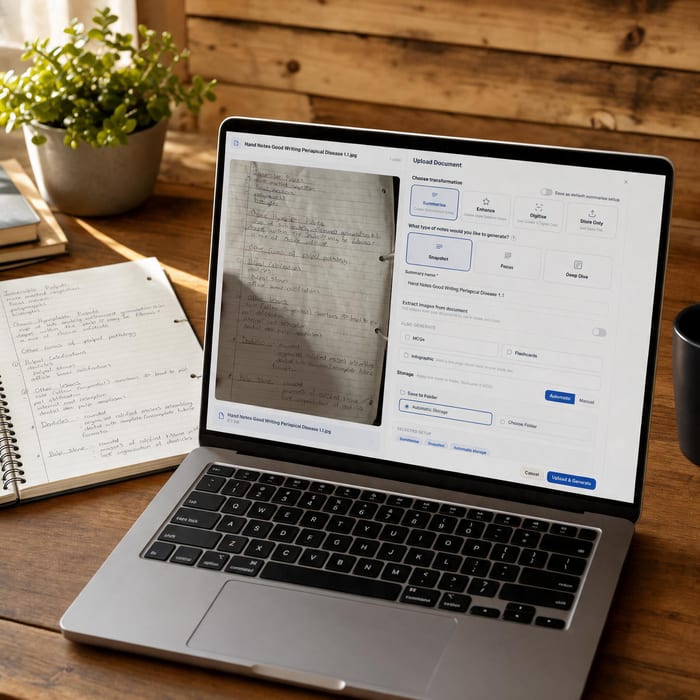

Plan on paper. Revise with BrightStudy.
Upload your notes and get Study Docs, flashcards and MCQs in minutes, then let spaced repetition decide what to review each day.
- Free plan to get started
- Study Docs, flashcards and MCQs
- Runs in your browser